Best Open Source AI Coding Tools in 2026: Tested Alternatives to Copilot and Cursor
Discover the best open source AI coding tools in 2026. Compare Cline, Aider, Continue, Tabby, and OpenHands for local models, privacy, and terminal workflows.
Best Open Source AI Coding Tools in 2026: Tested Alternatives to Copilot and Cursor
As commercial AI coding assistants transition toward usage-based credits, closed telemetry, and proprietary lock-in, developers are increasingly turning to the best open source AI coding tools. In 2026, the open-source ecosystem has evolved beyond simple autocomplete plugins into production-grade autonomous agents, self-hosted completion servers, and Git-native command-line collaborators.
However, choosing an open-source tool requires navigating an important distinction: open-source client software does not automatically mean free AI inference. While the extension or CLI is free under permissive licenses like Apache 2.0 or MIT, the actual intelligence requires either self-hosting open-weights models (via Ollama or vLLM) or supplying your own API keys. Furthermore, rapid ecosystem shifts—including the deprecation of early projects like Void and the archival of Roo Code in mid-2026—mean that staying up to date is crucial.
This guide delivers a verified, comprehensive breakdown of the leading open source AI coding assistants, open source AI coding agents, and local AI coding tools available in 2026, detailing their licenses, architecture, local model support, and real-world trade-offs.
Quick Answer: The Best Open Source AI Coding Tools at a Glance
If you are looking for an immediate match for your development environment, here is where each top project stands out:
- Best Open Source Autonomous Agent for VS Code: Cline (Apache 2.0) — A battle-tested extension featuring human-in-the-loop approvals, Model Context Protocol (MCP) tool integration, and seamless switching between local Ollama instances and cloud APIs.
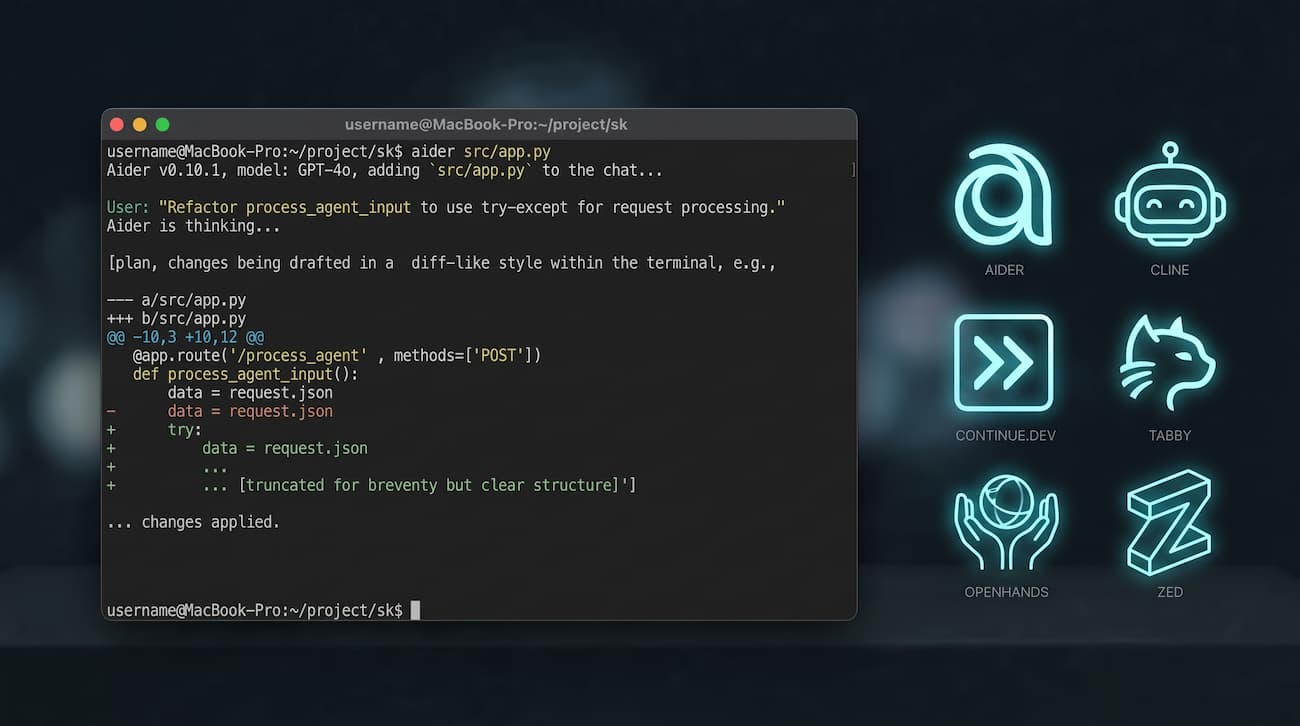
- Best for Terminal & Git Workflows: Aider (Apache 2.0) — The leading CLI pair-programming agent that maps entire repositories, generates unified diffs, and automatically authors clean Git commits.
- Best for Offline & Local-First IDE Completion: Continue.dev (Apache 2.0) — A mature, stable extension for VS Code and JetBrains that excels at split-model setups (lightweight local models for autocomplete, larger models for chat).
- Best Self-Hosted GitHub Copilot Alternative: Tabby (Apache 2.0 Core) — An on-premises inference server and client suite designed for private servers, air-gapped corporate networks, and multi-editor teams.
- Best Autonomous Full-Stack Sandbox Agent: OpenHands (MIT) — A containerized software engineering agent capable of managing shell environments, running tests, and executing end-to-end repository fixes.
- Best Open-Source AI-Native Editor: Zed (GPL/Apache) — A blazingly fast Rust-based code editor with native Bring-Your-Own-Key (BYOK) AI integrations and zero bloat.
What Does “Open Source” Mean in AI Coding? (Software vs. Inference)
Before diving into individual tools, developers must understand how the open-source paradigm applies to artificial intelligence:
- Layer 1: Client & Orchestrator (Free & Open Source)
- Cline, Aider, Continue, Tabby, OpenHands
- 100% Free code under Apache-2.0 / MIT licenses
- Layer 2: The Model / Compute Backend
- Option A: 100% Free & Private (Local Hardware)
- Ollama / vLLM running Qwen 2.5 or DeepSeek
- Option B: Paid Pay-As-You-Go (Cloud Tokens)
- Bring-Your-Own-Key (Anthropic, OpenAI, etc.)
- Option A: 100% Free & Private (Local Hardware)
- The Client Layer (100% Open Source): The IDE extension, terminal CLI, or editor UI is fully open source. You can audit the code, inspect how your files are read, remove telemetry, and compile it yourself without subscription paywalls.
- The Inference Layer (The Compute): Neural networks require computation. You have two choices:
- Zero-Dollar Local Execution: Run open-weights models (such as
Qwen 2.5 CoderorDeepSeek Coder) locally on your own GPU/CPU using runtimes like Ollama, llama.cpp, or vLLM. This makes your entire workflow 100% free and private. - Bring-Your-Own-Key (BYOK): Connect your open-source client to commercial APIs (Anthropic Claude, OpenAI, or OpenRouter). You pay only for raw token usage directly to the provider, bypassing mandatory monthly editor markups.
- Zero-Dollar Local Execution: Run open-weights models (such as
Comparison Table: Top Open Source AI Coding Assistants in 2026
The following table provides verified technical details for the leading open-source options:
| Tool | License | Primary Interface | Local Model Support | Cloud Providers Supported | Ecosystem Status (2026) | Best For |
|---|---|---|---|---|---|---|
| Cline | Apache-2.0 | VS Code Extension | Yes (Ollama, LM Studio) | Anthropic, OpenAI, OpenRouter, AWS | Active (Rapid releases) | Autonomous agentic coding in VS Code |
| Aider | Apache-2.0 | Terminal / CLI | Yes (Ollama, vLLM, llama.cpp) | OpenAI, Anthropic, Gemini, OpenRouter | Active (Community benchmark leader) | Git-native CLI pair programming |
| Continue.dev | Apache-2.0 | VS Code, JetBrains | Yes (Ollama, LocalAI) | OpenAI-compatible, Mistral, Anthropic | Stable (v2.0 Maintenance post-acquisition) | Air-gapped offline inline completion |
| Tabby | Apache-2.0 (Core) | Server + Multi-IDE | Yes (Self-hosted GPU/CPU) | Self-hosted engine, optional cloud sync | Active (Production self-hosting) | Team-wide on-prem Copilot replacement |
| OpenHands | MIT | Docker / Web UI / CLI | Yes (via LiteLLM / Ollama) | Any provider via LiteLLM | Active (Autonomous sandbox tasks) | Full-stack autonomous software repairs |
| Zed | GPL / Apache-2.0 | Standalone Editor | Yes (Ollama) | Anthropic, OpenAI, Custom endpoints | Active (Fastest native editor) | Minimalist, high-performance editing |
In-Depth Analysis of the Best Open Source AI Coding Tools
1. Cline (The Open Source Agent Standard for VS Code)
Originally known as Claude Dev, Cline has emerged as the definitive open-source autonomous coding agent for Visual Studio Code. Released under the permissive Apache-2.0 license, it is designed to operate as a collaborative software engineer rather than a simple autocomplete tool.
- User Prompt: Analyzes Workspace & Dependencies
- Plan Step: Proposes Multi-file Unified Diff
- Gatekeeper: Human Approves or Rejects Action
- Execution: Modifies Files & Runs Terminal CLI
- Diagnostics: Reads Compiler Errors & Fixes Code
Key Capabilities & Architecture
- Autonomous Multi-File Editing: Cline can inspect project trees, locate relevant files, create new modules, and refactor existing implementations across multiple directories.
- Model Context Protocol (MCP) Native: Cline was one of the earliest open-source tools to adopt Anthropic’s Model Context Protocol. Developers can configure custom MCP servers, giving the agent direct access to Postgres databases, internal APIs, documentation scrapers, and local terminals.
- Human-in-the-Loop Safeguards: Unlike runaway automated scripts, Cline prompts the developer before executing any bash command, installing packages, or applying file modifications.
- Flexible Model Routing: Supports direct API keys (Anthropic, OpenAI, DeepSeek), aggregator routing through OpenRouter, and zero-cost local inference via Ollama or LM Studio.
Limitations & Costs
- Compute Costs: Running Cline on complex tasks with frontier cloud models (like Claude 3.5 Sonnet or Opus) can consume significant API tokens. When using local models, high-reasoning tasks require capable hardware (at least 16GB–24GB of VRAM).
2. Aider (The Git-Native Terminal Pair Programmer)
For command-line enthusiasts, Aider is widely considered the most effective open-source AI pair programmer. Built in Python under the Apache-2.0 license, Aider integrates directly into your local Git workflow.
# Starting Aider with a local Ollama model at zero token cost
export OLLAMA_API_BASE=http://localhost:11434
aider --model ollama_chat/qwen2.5-coder:14b
Key Capabilities & Architecture
- Repository-Wide AST Mapping: Aider constructs a concise structural map of your entire codebase using tree-sitter. It understands signatures, classes, and cross-file references without blowing past model context limits.
- Automatic Git Commits: When Aider finishes adding a feature or resolving an error, it creates an individual Git commit with a detailed, descriptive message. If the output is flawed, you can immediately
git revertor use Aider’s built-in/undocommand. - Benchmarked Diff Engine: Aider features customized prompt engineering tuned specifically for code generation, ensuring that open-weights models (like Qwen 2.5 Coder and DeepSeek Coder) output unified diffs reliably without hallucinations.
- Multi-Model Voice & Web Support: Aider includes native audio transcription for spoken coding prompts and can scrape web documentation URLs directly into the active prompt context.
Limitations & Costs
- No GUI: Aider operates strictly inside the terminal. Developers who require visual inline popups, sidebars, or click-to-accept ghost text will need to pair it with an editor extension.
3. Continue.dev (The Proven Local-First IDE Extension)
Continue.dev is a pioneering open-source assistant for VS Code and JetBrains IDEs. In mid-2026, the project reached its comprehensive v2.0 release under the Apache-2.0 license.
Key Capabilities & Architecture
- Dual-Model Configuration: Continue allows developers to configure two separate models simultaneously:
- Tab Autocomplete: A lightweight, ultra-fast model (e.g.,
qwen2.5-coder:1.5borstarcoder2:3b) running locally via Ollama to provide sub-100ms inline completions. - Chat & Edits: A larger reasoning model (
qwen2.5-coder:14bor a cloud API) for sidebar explanations, test generation, and documentation lookups.
- Tab Autocomplete: A lightweight, ultra-fast model (e.g.,
- 100% Air-Gapped Privacy: When configured with local endpoints (
http://localhost:11434), Continue transmits zero telemetry or source code over the internet, satisfying strict compliance standards. - Rich Context Providers: Developers can reference files, Git diffs, terminal outputs, and documentation using
@mentions directly inside the chat interface.
Ecosystem Note for 2026
Following the acquisition of the core team by Cursor in mid-2026, the upstream repository entered maintenance mode at version 2.0.0. While it remains one of the most reliable and stable extensions for local model connections, cutting-edge agentic experimental features are currently advancing faster in community-driven projects like Cline.
4. Tabby (The Self-Hosted Enterprise Alternative to Copilot)
If your organization cannot use cloud-hosted services and needs to deploy an AI coding assistant across a team, Tabby is the premier open-source solution.
Key Capabilities & Architecture
- Self-Hosted Inference Engine: Tabby runs as an independent daemon on your own server or workstation (via Docker or native binaries with CUDA/ROCm acceleration).
- Multi-Editor Client Ecosystem: Provides official client plugins for VS Code, JetBrains (IntelliJ, PyCharm), Vim, and Neovim, all connecting back to your centralized Tabby instance.
- Codebase Contextual Indexing: Tabby continuously indexes your private Git repositories on-premises, enabling context-aware completions that understand internal proprietary libraries.
- Permissive Apache-2.0 Core: The core self-hosted server is fully open source. Optional enterprise add-ons exist strictly for centralized access control and SSO.
Limitations & Costs
- Requires administrative setup: unlike client-only extensions, Tabby requires configuring and maintaining a server environment with dedicated GPU resources.
5. OpenHands (Autonomous Software Engineering Sandbox)
Formerly known as OpenDevin, OpenHands is a comprehensive autonomous development agent distributed under the MIT license. Rather than living purely inside your editor, OpenHands runs inside an isolated Docker container with its own file system, bash shell, and web browser.
Key Capabilities & Architecture
- Full End-to-End Problem Solving: You can hand OpenHands a GitHub issue description, and the agent will clone the repository, locate the bug, modify the source code, run the test suite to verify the fix, and create a ready-to-merge pull request.
- Sandboxed Safety: Because the agent executes bash commands inside a Docker container, it cannot accidentally corrupt your host operating system.
- Provider Agnostic: Uses the LiteLLM proxy layer, allowing it to seamlessly interface with local models via Ollama or commercial models via API keys.
Limitations & Costs
- Resource Heavy: Requires Docker and significant system memory. Not designed for casual inline autocompletions while typing.
6. Zed (The Ultra-Fast Open-Source AI Editor)
Written from scratch in Rust, Zed is a high-performance open-source code editor developed under the GPL and Apache-2.0 licenses. In 2026, Zed has integrated deep AI capabilities directly into its core engine.
Key Capabilities & Architecture
- Native Bring-Your-Own-Model: Zed allows developers to plug in their own Anthropic, OpenAI, or local Ollama endpoints directly in settings, with no hidden subscriptions.
- Assistant Panel & Inline Transformations: Offers instantaneous inline code rewrites and an interactive assistant panel with custom prompt templating.
- Sub-Millisecond Speed: Unlike Electron-based editors, Zed renders via GPU shaders, making AI-driven code generation feel instantaneous and responsive.
Important 2026 Ecosystem Updates: What Happened to Void and Roo Code?
Developers exploring open-source coding tools frequently come across mentions of Void and Roo Code. Here is the accurate status of both projects:
Status of Void in 2026: Void, which launched as an open-source Cursor alternative fork of VS Code, was officially deprecated in 2026 and is no longer actively developed or accepting pull requests. Developers looking for open-source alternatives are advised to use Cline or Windsurf.
Status of Roo Code in 2026: Roo Code (a popular fork of Cline featuring specialized agent modes) was archived and shut down on May 15, 2026. Its community and contributors have largely consolidated back into the upstream Cline project.
Open Source vs. Proprietary AI Coding Tools: Trade-Off Analysis
| Dimension | Open Source AI Tools (Cline, Aider, Continue) | Proprietary AI Tools (GitHub Copilot, Cursor) |
|---|---|---|
| Data Privacy | Complete: Code never leaves your local hardware when using Ollama/Tabby. | Shared: Code snippets or telemetry are sent to cloud infrastructure. |
| Model Independence | Unrestricted: Swap between DeepSeek, Qwen, Claude, or GPT at will. | Locked: Tied to models and rate limits chosen by the vendor. |
| Pricing Predictability | Flexible: $0 with local hardware, or exact per-token API pricing with no markups. | Fixed / Credit Tiers: $10–$20/month base, plus potential usage caps on credits. |
| Setup & Maintenance | Requires configuring extensions, local runtimes, or managing API keys. | One-click installer with zero configuration required. |
| Agentic Autonomy | Full access to terminals, files, and MCP tools with explicit user control. | Highly integrated, but execution occurs inside vendor-managed sandboxes. |
Best Open Source Setups by Developer Category
- For Maximum Local Privacy (Air-Gapped & Corporate):
- Stack: Tabby (for team-wide self-hosted autocomplete) or Continue.dev + Ollama (for solo developers).
- Recommended Model:
Qwen 2.5 Coder 14B(4-bit quantized) orDeepSeek Coder 33B.
- For the Ultimate VS Code Power User:
- Stack: Cline with Model Context Protocol (MCP) servers enabled.
- Recommended Backend: OpenRouter for hybrid switching (using local Ollama for small edits, and Claude 3.5 Sonnet for major refactors).
- For Terminal Purists and DevOps Engineers:
- Stack: Aider integrated with local Git repositories.
- Recommended Model:
Qwen 2.5 Coder 32B(on 24GB VRAM) or direct Anthropic API key.
- For Autonomous Issue Resolution:
- Stack: OpenHands running in local Docker.
- Use Case: Assigning routine bug fixes, dependency upgrades, and test authoring to run in the background.
Frequently Asked Questions (FAQ)
Are open source AI coding tools completely free to use?
The client software (the VS Code extension, terminal CLI, or self-hosted server) is 100% free and open source under permissive licenses. However, generating AI responses requires computation. If you run open-weights models (like Qwen 2.5 Coder) locally using Ollama on your own computer, the workflow is 100% free with zero fees. If you connect the tool to cloud APIs (such as OpenAI or Anthropic), you pay standard API token rates directly to those providers.
Which open source tool is the best alternative to Cursor in 2026?
Currently, Cline is widely recognized as the most capable open-source alternative to Cursor. When installed in VS Code, it replicates the multi-file editing, autonomous error correction, and terminal integration of Cursor Composer, while allowing you to choose your own models and tools via MCP.
Can open source coding assistants work without internet access?
Yes. Tools like Aider, Continue.dev, and Tabby can connect to local inference runtimes like Ollama, vLLM, or llama.cpp running on localhost. Once your model weights are downloaded, you can write code, generate tests, and refactor completely offline without an active internet connection.
Why was the Void editor deprecated?
Maintaining a full fork of Visual Studio Code requires immense engineering overhead to keep up with upstream Microsoft releases and extension marketplace compatibility. The developer community increasingly preferred extension-based agents like Cline and modular tools like Aider, which provide identical AI autonomy without requiring an entirely separate IDE fork.
Which open-weights model is best for open source coding tools in 2026?
The Qwen 2.5 Coder series (specifically the 14B and 32B versions) and the DeepSeek Coder family are currently the industry benchmarks. For consumer GPUs with 16GB of VRAM, Qwen 2.5 Coder 14B Instruct provides near-frontier accuracy on refactoring and syntax completion while running at high token speeds.
Conclusion
The open-source AI coding ecosystem in 2026 offers true independence from closed proprietary platforms. Whether you choose Cline for autonomous multi-file workflows inside VS Code, Aider for terminal-driven Git engineering, or Tabby for self-hosted enterprise privacy, open-source tools provide the control, security, and architectural flexibility that modern software development demands.

Yan ZC
Software Developer & Tech Reviewer
Software developer and tech reviewer at ToolReview. I test, analyze, and document AI tools and software workflows. My mission is to help you find the perfect tech stack with honest reviews and rigorous benchmarks.