Best AI Coding Tools for VS Code in 2026: Top Extensions Tested and Compared
Looking for the best AI coding tools for VS Code? Compare top extensions including GitHub Copilot, Cline, Continue, Codeium, and Qodo with real limits and local LLM support.
Best AI Coding Tools for VS Code in 2026: Top Extensions Tested and Compared
Visual Studio Code remains the undisputed epicenter of modern software development. However, the ecosystem of artificial intelligence inside the editor has fundamentally shifted. Finding the best AI coding tools for VS Code is no longer just about selecting a single tab-completion plugin; it is about choosing between full-featured cloud assistants, autonomous agents with terminal execution, and local-first extensions that preserve complete privacy.
A critical point of confusion in 2026 is the difference between a native VS Code extension (which installs directly from the Visual Studio Marketplace into your existing editor) and a standalone VS Code fork (such as Cursor or Windsurf, which require running a separate application). Furthermore, rapid industry developments—such as AWS freezing new free tier registrations for Amazon Q Developer in mid-2026 and Google sunsetting the individual tier of Gemini Code Assist—mean that many older buying guides are hopelessly out of date.
This guide provides an objective, thoroughly verified breakdown of the top AI extensions for VS Code and AI coding assistants for VS Code available today, comparing their installation, quotas, multi-file reasoning, terminal access, and local model support.
Quick Answer: The Best VS Code AI Extensions at a Glance
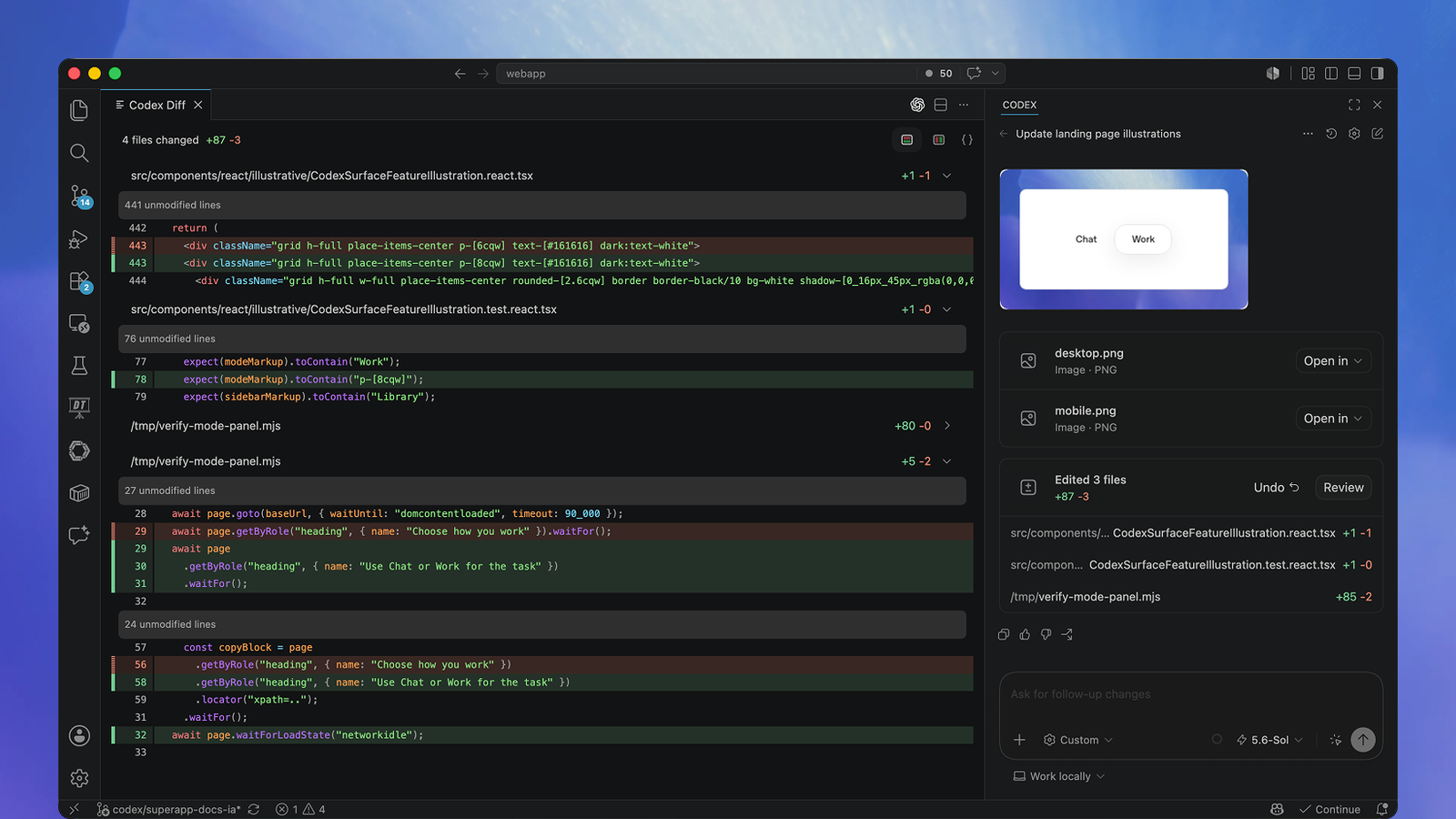
If you want a direct recommendation for your specific coding style, here is where each top extension excels:
- Best Overall for Out-of-the-Box Stability: GitHub Copilot — The definitive first-party assistant with an official free plan (2,000 completions and 50 chat/edit requests monthly), deep GitHub integration, and native multi-file Copilot Edits.
- Best Autonomous Coding Agent for VS Code: Cline (Apache 2.0) — The leading open-source agent extension. It creates files, runs terminal tests, inspects compiler diagnostics, and integrates with Anthropic’s Model Context Protocol (MCP).
- Best Free Unlimited Autocomplete Extension: Codeium — Delivers unmetered inline code completions and responsive sidebar chat across vanilla VS Code with zero monthly fees.
- Best for 100% Offline & Local Models: Continue.dev (Apache 2.0) — Connects standard VS Code to local Ollama instances, allowing you to run split models (fast autocomplete + deep reasoning chat) completely off-grid.
- Best for Automated Testing and Code Integrity: Qodo (formerly Codium) — Focuses on test generation, cross-file bug detection, and automated PR reviews directly inside the editor.
Native VS Code Extension vs. Standalone Fork: The Critical Difference
Before installing any tool, developers must understand the architectural distinction between extensions and editor forks:
Extension vs. Standalone Fork Architecture
-
Architecture A: Native VS Code Extension
- Vanilla Visual Studio Code (Official MS Build)
- Installed via VS Code Marketplace in 1 click
- Retains all settings sync, keybindings, plugins
- Examples: GitHub Copilot, Cline, Continue, Codeium
-
Architecture B: Standalone VS Code Fork
- Entirely separate desktop application (.exe/.app)
- Built on forked Chromium/Electron core
- Custom marketplace; may lag behind upstream VS Code
- Examples: Cursor, Windsurf
-
Choose a Native VS Code Extension if you want to keep your customized developer environment, enterprise security compliance, remote SSH devcontainers, and existing plugins intact without managing secondary application installs.
-
Choose a Standalone Fork only if you are willing to switch your entire primary code editor to gain proprietary custom UI layouts.
Comparison Table: Best AI Coding Tools for VS Code
The following table compares the verified features, pricing models, and capabilities of the leading extensions available on the Visual Studio Marketplace in 2026:
| Extension Name | Publisher / License | Pricing Model | Autocomplete Engine | Autonomous Agent Capabilities | Terminal Command Access | Local Model (Ollama) Support | Code Privacy |
|---|---|---|---|---|---|---|---|
| GitHub Copilot | GitHub (Proprietary) | Free tier available; Pro from $10/mo | Unlimited in Pro (2,000/mo in Free) | Yes (Copilot Edits & Workspace) | Terminal command suggestion / run | No (Cloud only) | Telemetry collected; code not used to train models |
| Cline | Open Source (Apache 2.0) | 100% Free Software (BYOM) | Relies on backend model | Advanced (Multi-file plan & act) | Full interactive execution (supervised) | Yes (Native Ollama / LM Studio) | 100% Private with local models |
| Codeium | Codeium (Proprietary) | Free Forever (Individual) | Unlimited unmetered inline Tab | Basic inline edits & chat | Limited | No (Cloud-first) | Opt-out available in settings |
| Continue.dev | Open Source (Apache 2.0) | 100% Free Software (BYOM) | Local Tab autocomplete (Ollama) | Moderate (Slash commands & edits) | Contextual terminal reading | Yes (Local-first architecture) | 100% Local (Zero data exfiltration) |
| Qodo (Codium) | Qodo (Freemium) | Free tier; Teams from $19/mo | Contextual code generation | Automated test & review agent | No | Selective | SOC 2 compliant; strict enterprise isolation |
| Amazon Q Developer | AWS (Proprietary) | Legacy Free Tier; Pro $19/mo | Unlimited completions | 50 agentic requests / month | CLI integration | No (AWS Cloud only) | Content opt-out settings |
In-Depth Reviews of the Best VS Code AI Extensions
1. GitHub Copilot: The Industry Standard for VS Code
Developed directly alongside Visual Studio Code by GitHub and Microsoft, GitHub Copilot remains the most seamlessly integrated AI assistant for the editor.
GitHub Copilot VS Code Extension Features
- Inline Ghost Text: Real-time multi-line completions
- Copilot Chat Sidebar: Repository-wide indexing
- Copilot Edits: Multi-file concurrent refactoring
How It Works in VS Code
Installing the official extension from the marketplace activates inline ghost-text completions immediately. The extension leverages local editor context (open tabs, neighboring files, and workspace symbols) to generate context-aware suggestions. In 2026, the Copilot Edits panel allows developers to designate working sets of files and prompt the assistant to apply changes across all of them in parallel.
Pricing & Quotas in 2026
- Copilot Free: Includes 2,000 code completions and 50 chat/edit requests per month with no credit card required.
- Copilot Pro ($10/mo): Provides unlimited standard completions, expanded chat allowances, and model selection (including Claude 3.5 Sonnet and GPT-4o).
- Copilot Pro+ / Enterprise: Introduces access to frontier reasoning models (such as Claude Opus tiers) using usage-based AI credits.
Strengths & Limitations
- Pros: Zero configuration required; unparalleled speed on inline autocompletions; native terminal command explanation via
@terminal. - Cons: Cannot be pointed to self-hosted local models (like Ollama); strict caps on the free tier once 2,000 completions are reached.
2. Cline: The Ultimate Open-Source Autonomous Agent
For developers who want an autonomous AI coding agent inside standard VS Code, Cline (formerly Claude Dev) is the benchmark extension in 2026. Distributed freely under the Apache-2.0 license, it transforms the editor into an agentic workstation.
flowchart TD
  A["1. Read Project Files\nInspects workspace tree"] --> B["2. Propose Unified Diff\nDeveloper reviews changes"]
  B --> C["3. Execute Terminal\nRuns build, linter, tests"]
  C --> D["4. Analyze Output\nIterates until tests pass"]
  D --> A
How It Works in VS Code
Unlike simple chatbots that sit in a sidebar and copy code to the clipboard, Cline executes real development workflows. When given a complex prompt (e.g., “Migrate our auth controller to use JWT tokens and update unit tests”), Cline:
- Searches the workspace for relevant configuration and route files.
- Proposes clean, multi-file diffs that you review with a single click.
- Launches integrated terminal commands (such as running test suites or installing packages).
- Captures error logs from the terminal and autonomously corrects syntax or runtime errors.
Integration & Model Support
- Model Context Protocol (MCP): Cline natively supports MCP servers, allowing you to connect external tools (PostgreSQL explorers, browser automation, or Git helpers) directly to your VS Code session.
- Model Flexibility: Connects to any cloud provider via API key (Anthropic, OpenAI, OpenRouter) or directly to local models running on Ollama or LM Studio at zero token cost.
Strengths & Limitations
- Pros: Complete autonomy with human-in-the-loop safeguards; 100% open source; supports custom local models.
- Cons: Requires configuring API keys or local runtimes; complex multi-step refactors can consume significant tokens when using paid cloud models.
3. Codeium: The Best Free Unlimited Autocomplete Extension
If your primary objective is fast, friction-free code completion without hitting monthly paywalls, the Codeium VS Code extension remains the gold standard for individual developers.
How It Works in VS Code
Codeium integrates as a native completion provider. As you type in any language—from TypeScript and Python to Rust and Go—Codeium streams multi-line suggestions directly into the editor. It includes an interactive chat sidebar (@codeium) that can explain code, generate docstrings, and suggest unit tests.
Pricing & Quotas
- Individual Tier (Free Forever): Unlike competitors that cap free completions at 2,000 per month, Codeium provides unlimited, unmetered inline completions and standard chat for individual developers without charge.
- Teams Tier ($12–$15/user/month): Adds centralized admin dashboards, repository-wide indexing for corporate codebases, and SOC 2 Type II compliance.
Strengths & Limitations
- Pros: Truly unlimited daily autocomplete; lightweight installation; broad language support.
- Cons: Multi-file autonomous agent capabilities are reserved for their standalone editor (Windsurf) rather than the standard VS Code plugin.
4. Continue.dev: The Premier Local-First Offline Assistant
For developers operating under strict non-disclosure agreements, air-gapped workstations, or corporate firewalls, Continue.dev is the most reliable open-source extension for running self-hosted models inside VS Code.
How It Works in VS Code
Continue provides a flexible, modular architecture configured via a local config.yaml file. Its hallmark feature is dual-model configuration:
- Tab Autocomplete: Pointed to an ultra-fast, lightweight local model (such as
qwen2.5-coder:1.5bvia Ollama) to deliver sub-100ms inline suggestions. - Sidebar Chat: Pointed to a larger reasoning model (such as
qwen2.5-coder:14bor a cloud API) to handle complex refactoring, architecture questions, and bug fixing.
Strengths & Limitations
- Pros: 100% air-gapped privacy; zero data leaves your local network; highly customizable context providers.
- Cons: Following the acquisition of the founding team by Cursor in 2026, the upstream repository is in stable maintenance mode at v2.0.0; cutting-edge agentic features are moving faster in projects like Cline.
5. Qodo (Formerly Codium): Specialized for Code Quality and Testing
While most AI extensions focus purely on generating code, Qodo (formerly CodiumAI) is built around code integrity, automated testing, and proactive review.
How It Works in VS Code
Qodo analyzes your active code and automatically suggests comprehensive test suites (unit tests, integration tests, and edge-case boundary checks). Its in-editor agent actively reviews your pull requests, identifies potential API contract violations, and flags security vulnerabilities before you commit code to production.
Strengths & Limitations
- Pros: Exceptional test generation capabilities; catches subtle runtime bugs that standard autocomplete assistants miss.
- Cons: Not designed to serve as a primary daily autocomplete engine; best used alongside an autocomplete extension.
Important 2026 Ecosystem Updates: Critical Status Checks
When researching VS Code AI extensions, developers frequently encounter references to outdated tools. Here is the verified status of key platforms:
[!WARNING] Amazon Q Developer Account Restrictions: On May 15, 2026, AWS officially blocked the creation of new Free Tier Builder ID accounts for Amazon Q Developer. While existing users retain access (50 agentic requests/month), new individual developers cannot sign up for the free tier. Furthermore, AWS announced that support for the Amazon Q Developer IDE plugin will reach end-of-life on April 30, 2027.
Google Gemini Code Assist Deprecation: Google deprecated and shut down the individual free tier of Gemini Code Assist on June 18, 2026. It is now exclusively available as a paid enterprise Google Cloud service.
Roo Code Archival: Roo Code (a popular fork of Cline) was archived and shut down on May 15, 2026. Users should install the upstream Cline extension directly from the VS Code Marketplace.
The Recommended VS Code AI Extension Stacks
Rather than forcing one extension to handle every task, experienced developers in 2026 combine complementary tools to build an optimized in-editor workflow:
The Recommended Dual-Extension VS Code Stack
- Layer 1: Instant In-Line Speed
- Codeium Extension (Unlimited Autocomplete)
- Layer 2: Deep Autonomous Execution
- Cline Extension (Agentic Tasks, Terminal & MCP)
- The “Zero-Dollar Daily Driver” Stack:
- Autocompletion: Codeium Extension (unlimited free inline suggestions).
- Complex Tasks & Refactoring: GitHub Copilot Free (50 monthly chat/edit prompts) or Cline paired with Ollama (running Qwen 2.5 Coder 14B locally).
- Total Monthly Cost: $0.00.
- The “Autonomous Engineering” Stack:
- Editor Assistant: Cline connected to OpenRouter or Anthropic Claude 3.5 Sonnet.
- Testing & Verification: Qodo extension for automated test generation and edge-case validation.
- Best For: Developers building complex full-stack features with multi-file refactoring.
- The “Air-Gapped Enterprise” Stack:
- Primary Extension: Continue.dev (configured with local Ollama or on-premises Tabby server).
- Best For: Government, financial, and healthcare developers strictly forbidden from uploading code to cloud servers.
Frequently Asked Questions (FAQ)
What is the best overall AI coding extension for VS Code in 2026?
For out-of-the-box convenience and polish, GitHub Copilot remains the best all-around extension, offering high-speed completions, chat, and multi-file Copilot Edits. For developers who prioritize autonomy, local model support, and open-source freedom, Cline is currently the top-rated agentic extension on the VS Code Marketplace.
Is there a completely free AI coding extension for VS Code?
Yes. Codeium offers an individual plan that provides unlimited, unmetered inline completions and chat for free. Additionally, GitHub Copilot Free offers 2,000 code completions and 50 chat interactions every month without requiring a credit card. If you run local models via Ollama, open-source extensions like Cline and Continue.dev are 100% free with no usage limits.
Can I use Cursor features inside standard VS Code without switching editors?
Yes. While Cursor is a separate standalone fork of VS Code, you can replicate its core capabilities (such as multi-file Composer edits and autonomous terminal execution) inside standard VS Code by installing the Cline extension. Cline provides agentic refactoring and tool use directly within your existing VS Code setup.
Can I run an AI coding assistant in VS Code without an internet connection?
Yes. By installing Continue.dev or Cline and connecting them to Ollama running locally on your computer, all code completions and chat interactions occur on your local GPU or CPU. Once your model weights (such as Qwen 2.5 Coder) are downloaded, you can code completely offline with zero internet access.
Why can't I sign up for Amazon Q Developer Free Tier anymore?
As of May 15, 2026, AWS blocked the creation of new Amazon Q Developer Free Tier accounts via AWS Builder ID. Additionally, AWS has scheduled the end-of-support for its IDE extensions for April 30, 2027. New developers looking for free alternatives should consider GitHub Copilot Free, Codeium, or Cline.
Conclusion
The Visual Studio Code ecosystem in 2026 gives developers unprecedented power without requiring them to abandon their favorite editor for proprietary forks. By combining lightweight autocomplete extensions like Codeium or GitHub Copilot with autonomous agents like Cline, you can build a flexible, production-grade AI development environment tailored precisely to your budget and privacy requirements.

Yan ZC
Software Developer & Tech Reviewer
Software developer and tech reviewer at ToolReview. I test, analyze, and document AI tools and software workflows. My mission is to help you find the perfect tech stack with honest reviews and rigorous benchmarks.